




Webmasters often receive emails from users reporting issues with their websites, including downtime and runtime errors. This blog post explores the importance of uptime guarantees, redundancy, and reliability when choosing a web host.
Research
When it comes to choosing a web host for your website, conducting thorough research is the key to making an informed decision. There are several factors that you need to consider in order to ensure that you choose the right web host that meets your specific needs and requirements. In this blog post, we will discuss the important aspects of research that you should focus on when selecting a web host.
Check uptime guarantees in detail
One of the most crucial factors to consider when researching web hosts is their uptime guarantees. Uptime refers to the amount of time that your website will be up and running without any interruptions. It is essential to choose a web host that offers a high level of uptime because any downtime can result in a loss of potential customers and revenue.
When reviewing the uptime guarantees of different web hosts, it is important to dig deep into the details. Some web hosts may advertise a high uptime percentage, but it is essential to understand what constitutes downtime for them. For example, some hosts may consider scheduled maintenance or server upgrades as downtime, while others may only count unplanned outages.
Additionally, you should also look for web hosts that have a reliable and robust infrastructure. This includes redundant data centres, backup power supplies, and multiple internet connections. Such features ensure that even in the event of a hardware failure or internet outage, your website will still remain accessible to your visitors.
Look for web hosts with high standards and automatic credit application
Another important aspect to consider during your research is the level of service and support provided by web hosts. It is crucial to choose a web host that has high standards and a reputation for delivering exceptional customer service.
When evaluating different web hosts, look for those that offer an automatic credit application in case of downtime. This means that if your website experiences an extended period of downtime beyond the agreed-upon uptime guarantee, you will automatically receive a credit or refund for the affected period. This shows that the web host takes downtime seriously and is willing to take responsibility for any service disruptions.
Furthermore, make sure to read reviews and testimonials from existing customers to get a sense of their experiences with the web host’s customer service. Look for web hosts that are responsive, knowledgeable, and proactive in resolving any issues that may arise.
Read the fine print and talk to the host for clarification
Before signing up with a web host, it is crucial to thoroughly read the terms and conditions, as well as the service level agreement (SLA). These documents outline the rights and responsibilities of both you and the web host.
Pay close attention to any limitations or restrictions mentioned in the fine print. Some web hosts may have specific usage policies, such as limiting the amount of bandwidth or storage space you can use. Make sure that these limitations align with your website’s requirements and growth plans.
If you come across any clauses or terms that you do not fully understand, do not hesitate to reach out to the web host’s support team for clarification. It is essential to have a clear understanding of what you are signing up for and what to expect from the web host in terms of services and support.
Consider the cost of the host monitoring its servers
Monitoring the servers is a critical aspect of ensuring the optimal performance and uptime of your website. However, not all web hosts include server monitoring as part of their standard service. Some may charge an additional fee for this service.
When conducting your research, consider whether it is worth paying the extra cost for server monitoring. Server monitoring involves continuous monitoring of the web host’s servers for any potential issues or vulnerabilities. It allows the web host to proactively address any problems and ensure the smooth operation of your website.
If your website generates significant traffic or handles sensitive customer information, investing in server monitoring can provide added peace of mind. However, if your website is relatively small or does not have high traffic volumes, you may opt for a web host that includes monitoring in their standard package.
Ask for references and check with neutral clients
Lastly, when researching web hosts, it is always a good idea to ask for references from the host itself. They should be able to provide you with a list of clients who have used their services and are willing to vouch for their reliability and performance.
Reach out to these references and ask them about their experience with the web host. Inquire about the uptime, customer service, and any issues they may have encountered. It is essential to hear from neutral clients who can provide unbiased feedback about their experience with the web host.
Additionally, make use of online forums and communities where website owners discuss their experiences with different web hosts. These platforms can provide valuable insights and help you make an informed decision.
Redundancy
When it comes to choosing a web host, one of the most essential factors to consider is redundancy. Redundancy refers to having backup systems and multiple providers in place to ensure that your website and data remain accessible, even in the event of failures or disasters. In this blog post, we will explore why redundancy is important and what you should look for in a web host to ensure your website’s reliability and availability.
Choose a web host with backup systems and multiple providers
One of the first things you should consider when selecting a web host is whether they have backup systems and multiple providers. Backup systems are crucial as they provide a safety net in case of data loss or server failures. These systems create copies of your website and its files, ensuring that you can quickly recover your data and get your website up and running again.
Multiple providers, on the other hand, mean that your website is not dependent on a single network or server. If one provider experiences technical difficulties, your website can still remain accessible through an alternate provider. This redundancy ensures that your website remains online even during unforeseen circumstances.
Ensure the host has a redundant network design
In addition to backup systems and multiple providers, it is essential to choose a web host that has a redundant network design. A redundant network design means that the host has multiple network connections and redundant infrastructure in place, reducing the risk of network failures and ensuring uninterrupted connectivity to your website.
When a web host has a redundant network design, they typically have multiple data centers located in different geographical locations. These data centers are connected through redundant network connections, which means that if one connection fails, traffic can be automatically rerouted through other connections. This redundancy helps to minimize downtime and ensures that your website remains accessible to users.
Ask about disaster plans and backups
When evaluating potential web hosts, it is crucial to ask about their disaster plans and backups. A reliable web host should have robust disaster recovery plans and regular backups in place to safeguard your website’s data.
Disaster plans outline the steps the host will take in the event of a catastrophic event, such as a natural disaster or a major hardware failure. These plans should include measures such as data replication, server redundancy, and off-site backups. By understanding the web host’s disaster plans, you can assess their level of preparedness and their ability to maintain the availability of your website.
Backups are also an essential aspect of redundancy. Regular backups ensure that your website’s data is not permanently lost in the event of a system failure or a security breach. It is important to inquire about the frequency and location of backups to ensure that your website can be quickly restored if needed.
Speak to a human working at the host for more information
In addition to researching online and reading reviews, it is always beneficial to speak directly to a human working at the host for more information. This will allow you to ask specific questions and gain a deeper understanding of the host’s redundancy measures and overall reliability.
Speaking to a human can also provide insights into the host’s customer support and their responsiveness to issues. A reliable web host should have a knowledgeable and responsive support team that can address any concerns or problems promptly.
Beware of offers that sound too good to be true
While redundancy is crucial for ensuring the reliability and availability of your website, it is important to exercise caution and beware of offers that sound too good to be true. Some web hosts may make exaggerated claims about their redundancy measures or reliability, so it is essential to do thorough research and consider multiple factors before making a decision.
When evaluating different web hosts, consider factors such as their reputation, customer reviews, uptime guarantees, and the scalability of their infrastructure. Choosing a reputable web host with a proven track record is more likely to provide the redundancy and reliability your website needs.
In conclusion, redundancy is a vital aspect of selecting a web host. By choosing a web host with backup systems, multiple providers, redundant network design, robust disaster plans, and reliable customer support, you can ensure that your website remains accessible and available to users at all times. Remember to do thorough research, ask the right questions, and beware of offers that sound too good to be true. With the right web host, you can have peace of mind knowing that your website is in safe hands.
Reliability
When it comes to running a successful online business, reliability is crucial. If your website experiences frequent downtime or technical issues, it can negatively impact your reputation, customer trust, and ultimately your bottom line. To ensure that your website is always up and running smoothly, it is important to invest in certain measures to improve reliability. In this article, we will explore some key strategies to enhance the reliability of your website.
Invest in Automatic Monitoring Equipment
One of the first steps towards improving reliability is investing in automatic monitoring equipment. This equipment allows you to constantly monitor the performance of your website and receive real-time notifications if any issues occur. By quickly identifying and addressing these issues, you can minimize downtime and ensure that your website remains accessible to your customers.
There are various automatic monitoring tools available in the market that can track your website’s uptime, response time, and other performance metrics. These tools can also perform periodic checks from different locations to ensure that your website is accessible to users worldwide. By regularly monitoring your website, you can proactively address any potential issues before they become major problems.
Hire Professional and Experienced Engineers
Another important aspect of ensuring reliability is to hire professional and experienced engineers. These individuals have the expertise to design, develop, and maintain a robust infrastructure for your website. They can implement best practices and industry standards to ensure that your website remains reliable under different circumstances.
When hiring engineers, look for individuals who have experience in handling high-traffic websites and are familiar with the technologies and tools relevant to your business. They should have a solid understanding of server management, network security, and disaster recovery strategies. Having a dedicated team of experienced engineers can help minimize the risk of downtime and keep your website running smoothly.
Install Redundant Backup Systems
Installing redundant backup systems is another crucial step towards enhancing reliability. These systems ensure that your website has multiple copies of its data and applications, which can be critical in case of hardware failures or other emergencies. By having backups readily available, you can quickly restore your website’s functionality and minimize any potential downtime.
There are different types of backup systems that you can consider, such as full backups, incremental backups, and offsite backups. Full backups involve making copies of all your website’s data and applications, while incremental backups only capture changes made since the last backup. Offsite backups store your data in a separate location, which provides an additional layer of protection in case of physical damage to your primary server.
Consider the Impact of Downtime on Your Business
When thinking about reliability, it is essential to consider the impact of downtime on your business. Every minute that your website is inaccessible can result in lost revenue, missed opportunities, and a decline in customer satisfaction. It is crucial to assess the potential costs associated with downtime and develop strategies to mitigate these risks.
One way to minimize the impact of downtime is to have a clear communication plan in place. Notify your customers in advance about any anticipated maintenance or downtime and provide alternative means of contact. This can help manage customer expectations and minimize frustration. Additionally, having a contingency plan in place can help you quickly respond to and resolve any unexpected issues that may arise.
Get a Guarantee before Signing up with a Host
When choosing a hosting provider for your website, it is important to consider their reliability and uptime guarantees. Look for providers that offer Service Level Agreements (SLAs) that outline their commitment to maintaining a certain level of uptime. This makes sure that they are responsible for any downtime and gives you compensation or other solutions if they fail.
Before choosing a hosting provider, make sure to review their SLA and ask detailed questions about their backup systems, monitoring processes, and disaster recovery strategies. Check references and reviews from other customers to understand if they are reliable and have good customer support. Choosing a reliable hosting provider can significantly minimize the risk of downtime and ensure the smooth operation of your website.
In conclusion, reliability is crucial for the success of your online business. By investing in automatic monitoring equipment, hiring professional engineers, installing redundant backup systems, considering the impact of downtime, and choosing a reliable hosting provider, you can improve the reliability of your website. These measures will not only enhance customer satisfaction but also protect your business from potential revenue losses and reputational damage. Remember, in today’s competitive digital landscape, a reliable website can make all the difference in capturing and retaining customers.
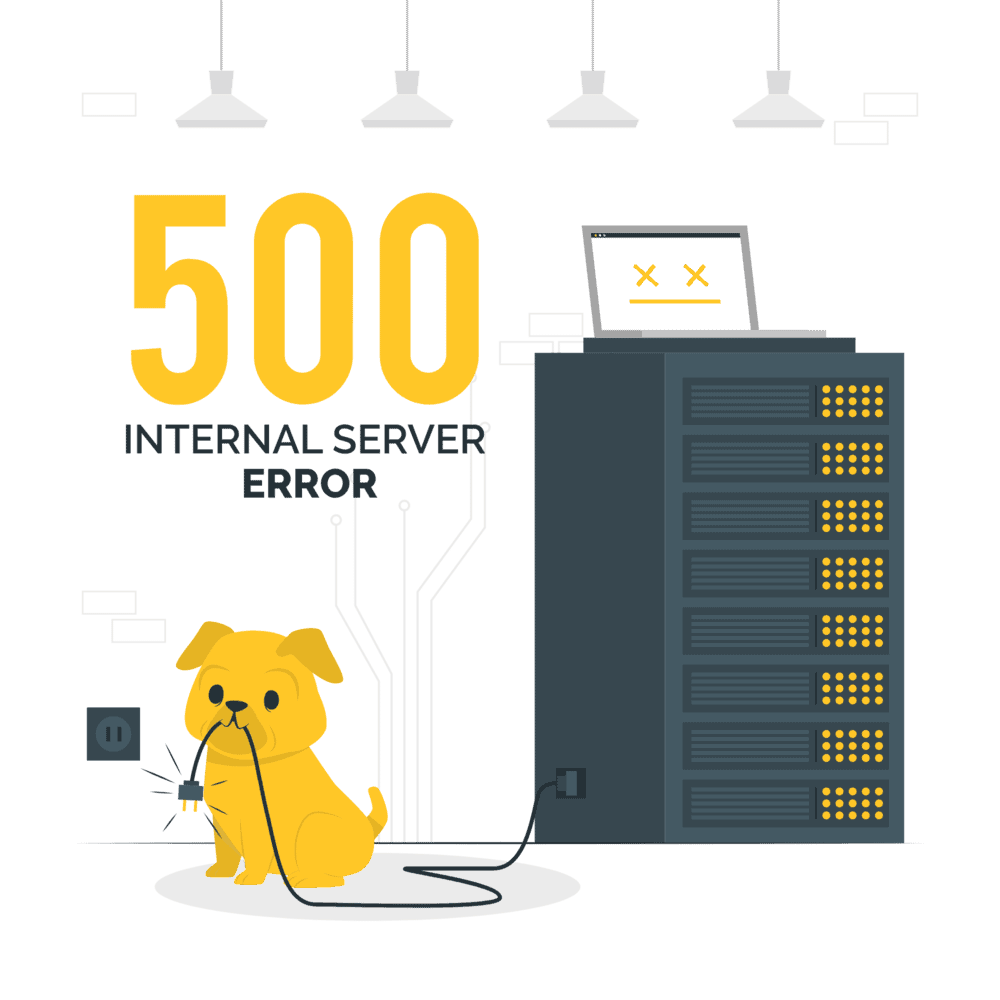
Runtime Errors
When it comes to programming, errors are inevitable. One type of error that programmers often encounter is the runtime error. In this blog post, we will define what runtime errors are, discuss the difference between runtime errors and crashes, explore methods of recovery from runtime errors, and emphasize the importance of graceful recovery.
Definition of Runtime Errors
A runtime error, also known as an exception, is an error that occurs during the execution of a program. It happens when the code tries to perform an operation that is not allowed or encounters an unexpected condition. Runtime errors are different from compile-time errors, which are caught by the compiler before the program starts running.
Runtime errors are usually caused by logical or programming mistakes, such as dividing a number by zero, accessing an array out of its bounds, or trying to use a variable that has not been initialized. These errors can be problematic because they can lead to unexpected program behaviour, crashes, or even security vulnerabilities.
Difference between Runtime Errors and Crashes
While runtime errors and crashes are both issues that can occur during program execution, they are not the same thing. A runtime error is an error that causes the program to behave unexpectedly or terminate prematurely, but it doesn’t necessarily lead to a crash. On the other hand, a crash is a more severe issue that causes the program to abruptly stop working without any warning.
A program can recover from a runtime error and continue running, whereas a crash typically requires the program to be restarted. Runtime errors are generally easier to debug and fix than crashes because they provide valuable error messages or stack traces that can help identify the cause of the error.
Recovery from Runtime Errors
Recovering from runtime errors is an essential part of maintaining the stability and usability of a program. Here are some common approaches to handling runtime errors:
- Try-Catch Blocks: By enclosing sections of code within try-catch blocks, developers can catch and handle runtime errors properly. This allows the program to continue executing instead of terminating abruptly.
- Error Logging: Logging runtime errors to a file or a central logging system can help developers identify recurring issues and track down the source of the errors. Logging also enables better debugging and provides valuable insights for improving the software.
- Graceful Degradation: In some cases, it may be possible to gracefully degrade the program’s functionality when encountering a runtime error. For example, if a requested resource is unavailable, the program could display a fallback option or provide a helpful error message instead of crashing.
- Input Validation: To prevent runtime errors caused by invalid user input, validating and sanitizing input data is crucial. By implementing input validation practices, programmers can reduce the likelihood of encountering runtime errors related to incorrect or unexpected user input.
Importance of Graceful Recovery
Graceful recovery from runtime errors is vital for maintaining user satisfaction, preventing data loss, and ensuring the stability of a program. When a program handles errors gracefully, it provides a more positive user experience by displaying helpful error messages or offering alternative options. This helps users understand what went wrong and potentially take corrective actions.
Additionally, graceful recovery can prevent security vulnerabilities that may arise from runtime errors. If a program encounters an unexpected error but keeps running without crashing or exposing sensitive data, it reduces the risk of being exploited by malicious actors.